Create an Instagram Business Account
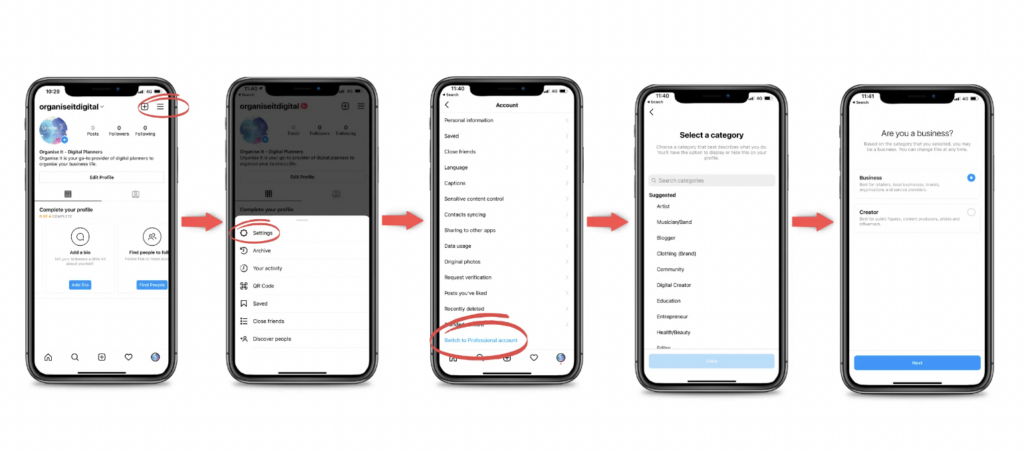
– On Instagram, go to your profile, tap Menu > Settings > Switch to professional account > Switch to business account.
Connect Instagram to Facebook Page
– Log into Facebook and switch to the desired Page.
– Click “Settings” > “Linked Accounts” > “Instagram” > “Connect Account” > “Connect”
– From your Facebook Page, you can also click “Manage” and connect your Instagram account from there


